App DESIGN
Planpals - Simplify planning your trip
CLIENT PROJECT TYPE
Web Design
ROLE
UX Designer
TIME FRAME
3 Months
YEAR
2024
Introduction
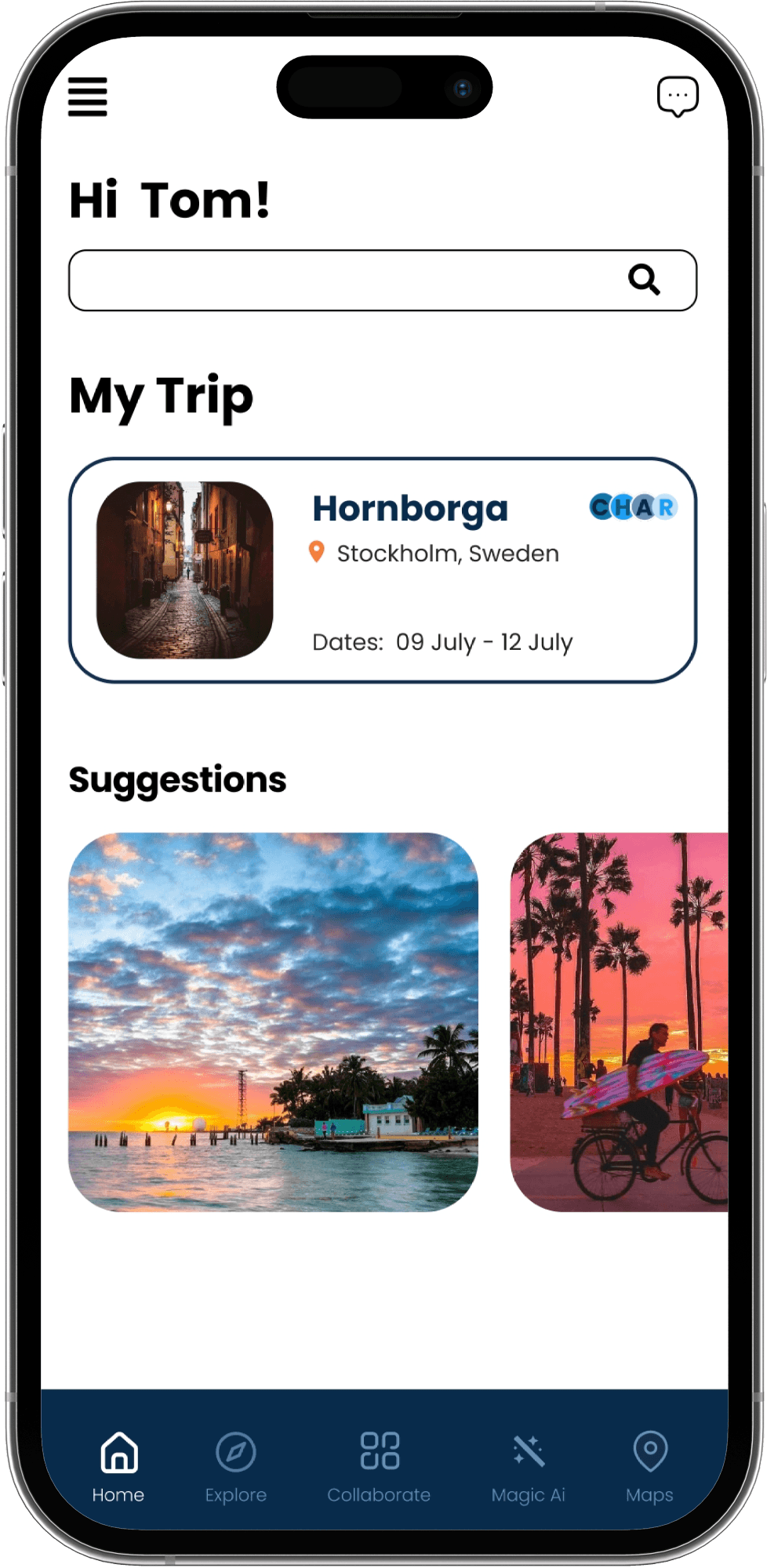
We, a group of three graduate students from Pratt Institute, New York, designed a product that facilitates planning among friends and family who are traveling in large groups. Utilizing a new AI feature, we were able to hone into the endless possibilities of travel planning and make it accessible to the users.
Methodology
Our methodology began with identifying the problems faced while travelling with a large group of people. After this, we defined our target audience to be young adults and students (age group of 25 - 35). Once the recruitment was done, we conducted 7+ interviews to understand the consuming habits of trip planning apps and 15+ surveys to understand the user's goals of planning trips.
Deliverables
Prototype and Presentation
Tools
Figma, Zoom
What were we finding

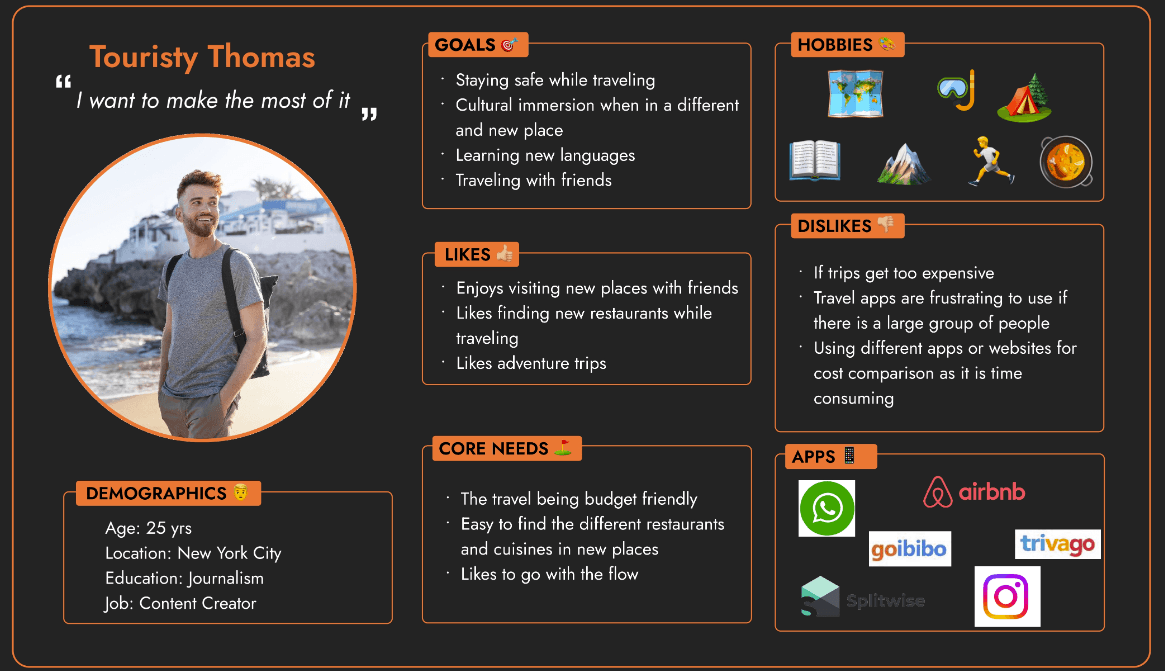
Persona
Meet Touristy Thomas - The persona we are designing for
Journey Map
Users on a budget tend to have less options on what to do while travelling
Users had issues coordination with large groups
Users found it difficult to find out the day to day activities based on proximity to stay

How might we help Thomas in his collaborative planning for the group trip he is planning with his friends Trisha and John?
User Testing

Testing our Wireframes
With our initial wireflows, we performed user testing to understand how the product translates with our target audience and whether the features can be understood or requires additional explanation. We asked the participants to complete the following flows:
Task 1: Try to understand what the app is used for and Sign up
Task 2: Starting from the homepage, try to curate a specific Itinerary you.
Task 3: Add people to the collaborative group then add events to the collaborative itinerary
Task 4: Find a location you want to visit and share or broadcast it with your friends.
Task 5: Collaborate with your group in finding a place to visit by sharing your filter settings.
Iteration
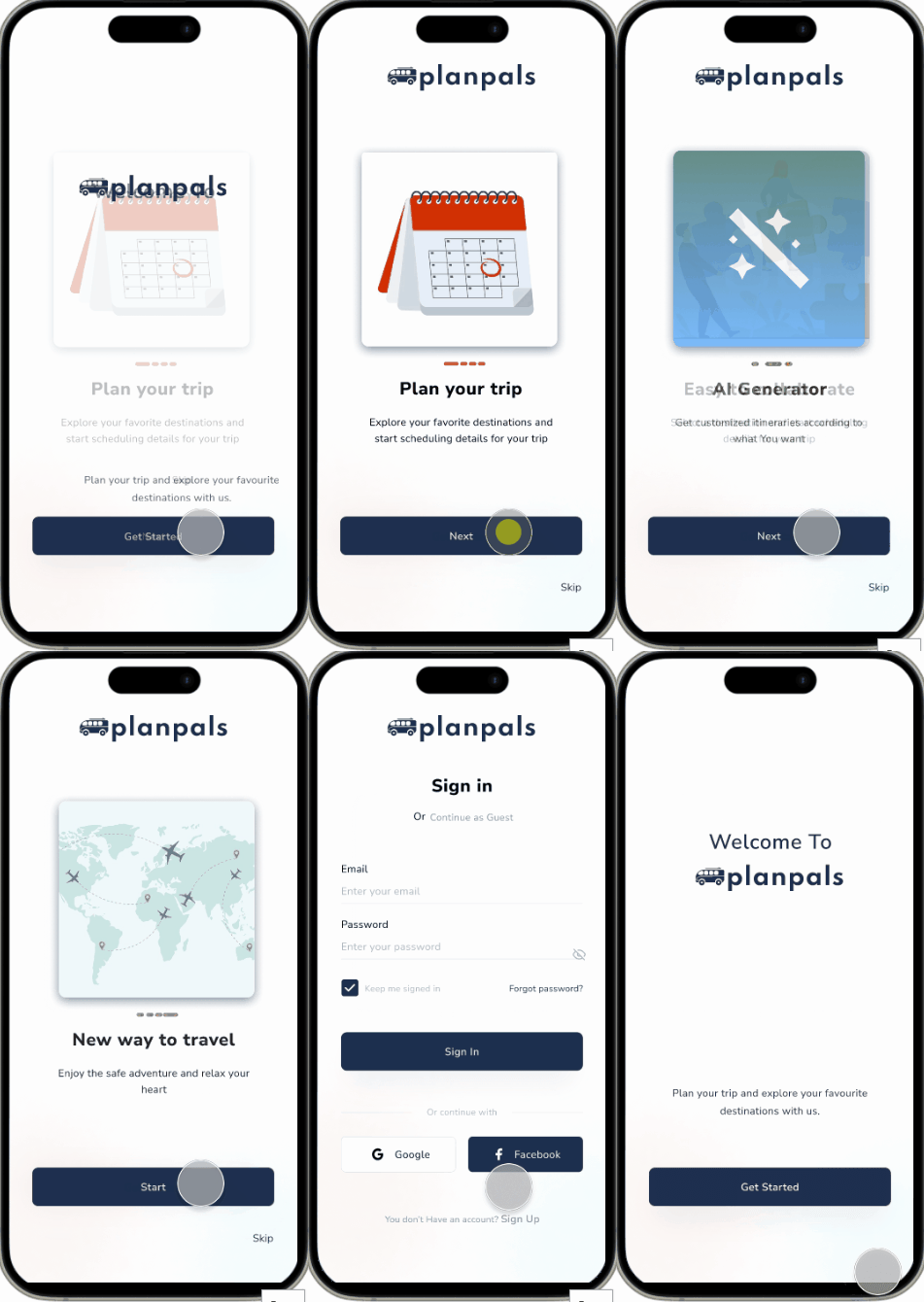
Flow 1:
Try to understand what the app is used for and Sign up.
Goal: To get an understanding of what the users understood about the app
Findings:
Users wanted an introduction to the app and an understanding about how to use it
Users wanted a way to skip the 'sign in' process and browse the app.
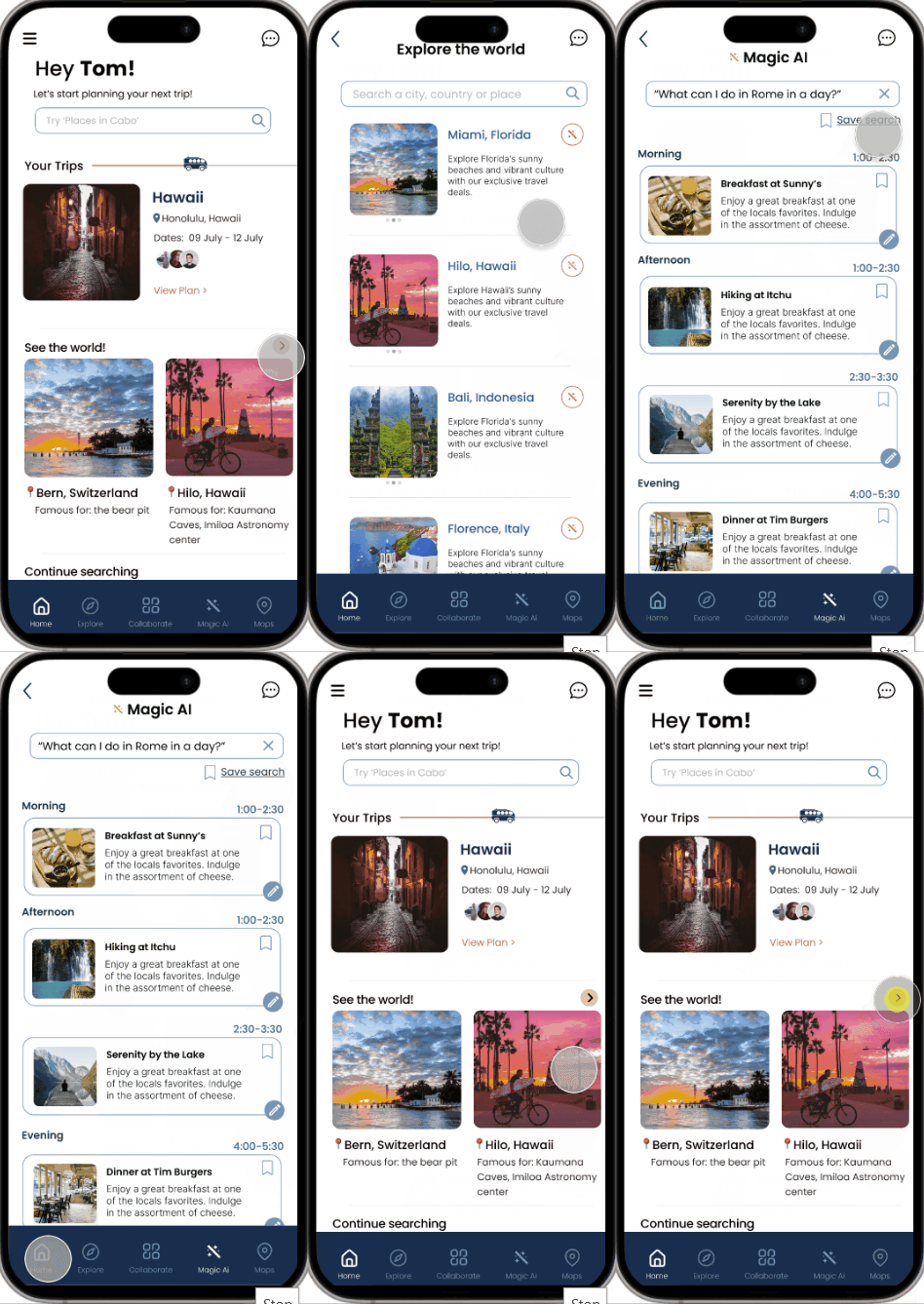
Flow 2:
Starting from the homepage, try to curate a specific itinerary for you.
Goal: To find out whether the AI Generate icon is recognizable and whether it translates to its function.
Findings:
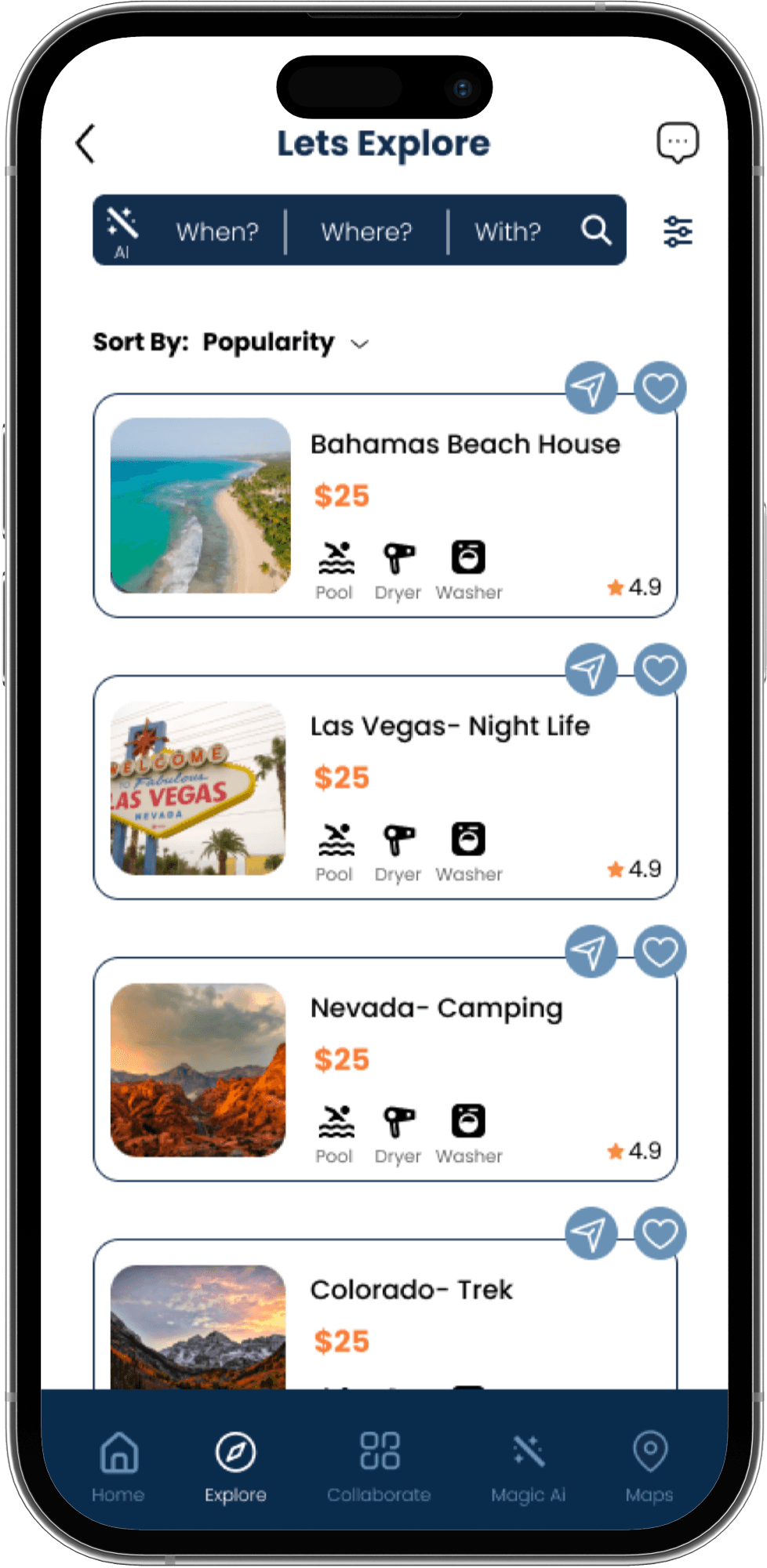
Users were not able to interpret the Magic wand icon, one of the participants assumed it meant ‘refresh’.
Participants had difficulty finding the prompt for the AI generator.
Fixes we made:
Added supporting text to the icon to allow users to understand the function better.
Added an explanation in the onboarding stage to introduce them to the function beforehand.
Placed the prompt for the AI generator in bold in the search bar.
Flow 3:
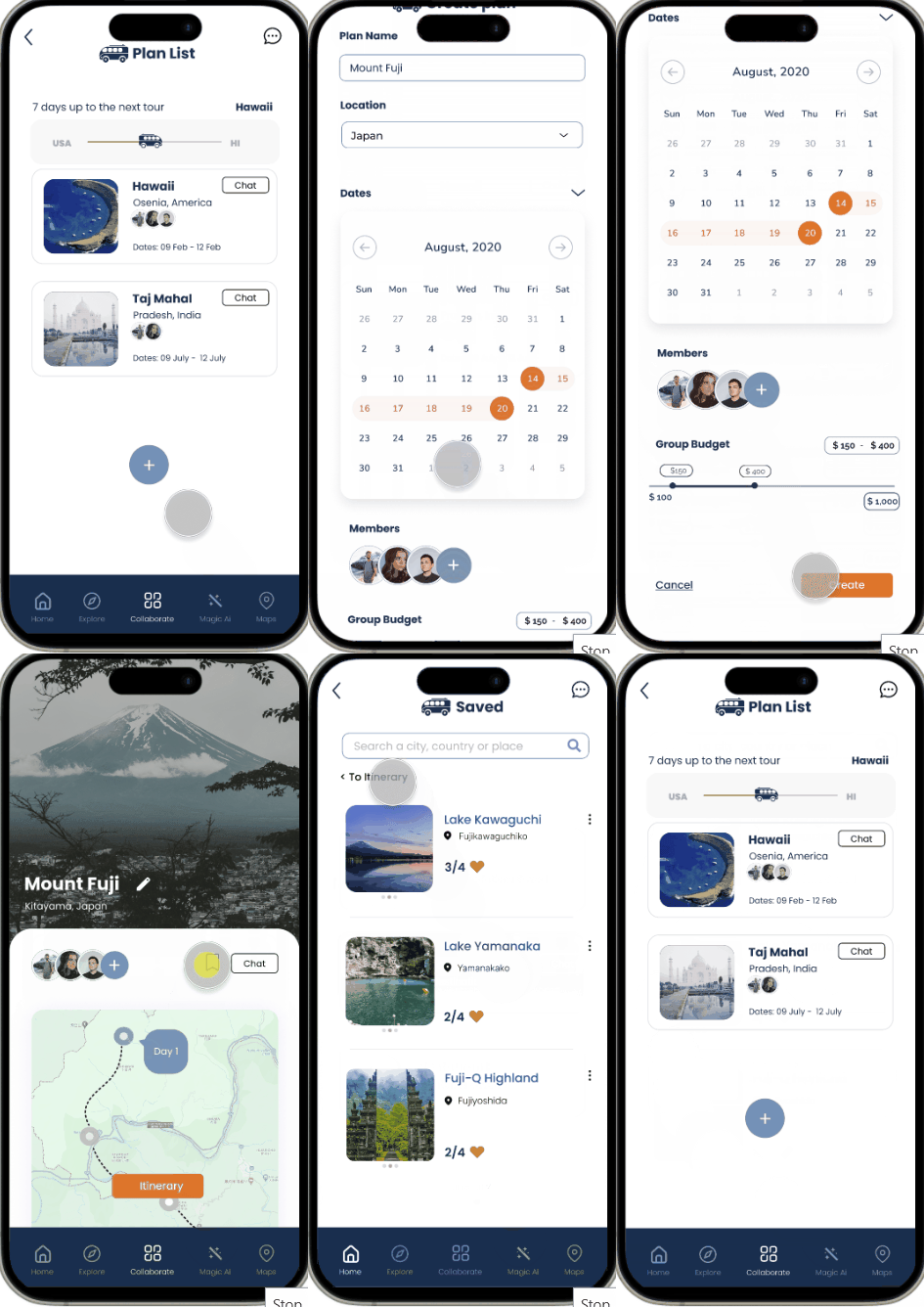
Add people to the collaborative group then add events to the collaborative itinerary
Findings:
Users were not clear on whether the budgeting was for the group or individual.
Features:
Users are able to keep track of their upcoming trips
Easily add groups and itineraries from saved bookmarks.
Flow 4:
Find a location you want to visit and share or broadcast it with your friends.
Goal: To understand whether the flow is something the user can understand or whether it needs to be modified.
Findings:
Participants were not able to understand the icons used.
Fixes we made:
The icon was replaced with a symbol that is easy to understand and familiar to the users already as a send feature popularly used in social media
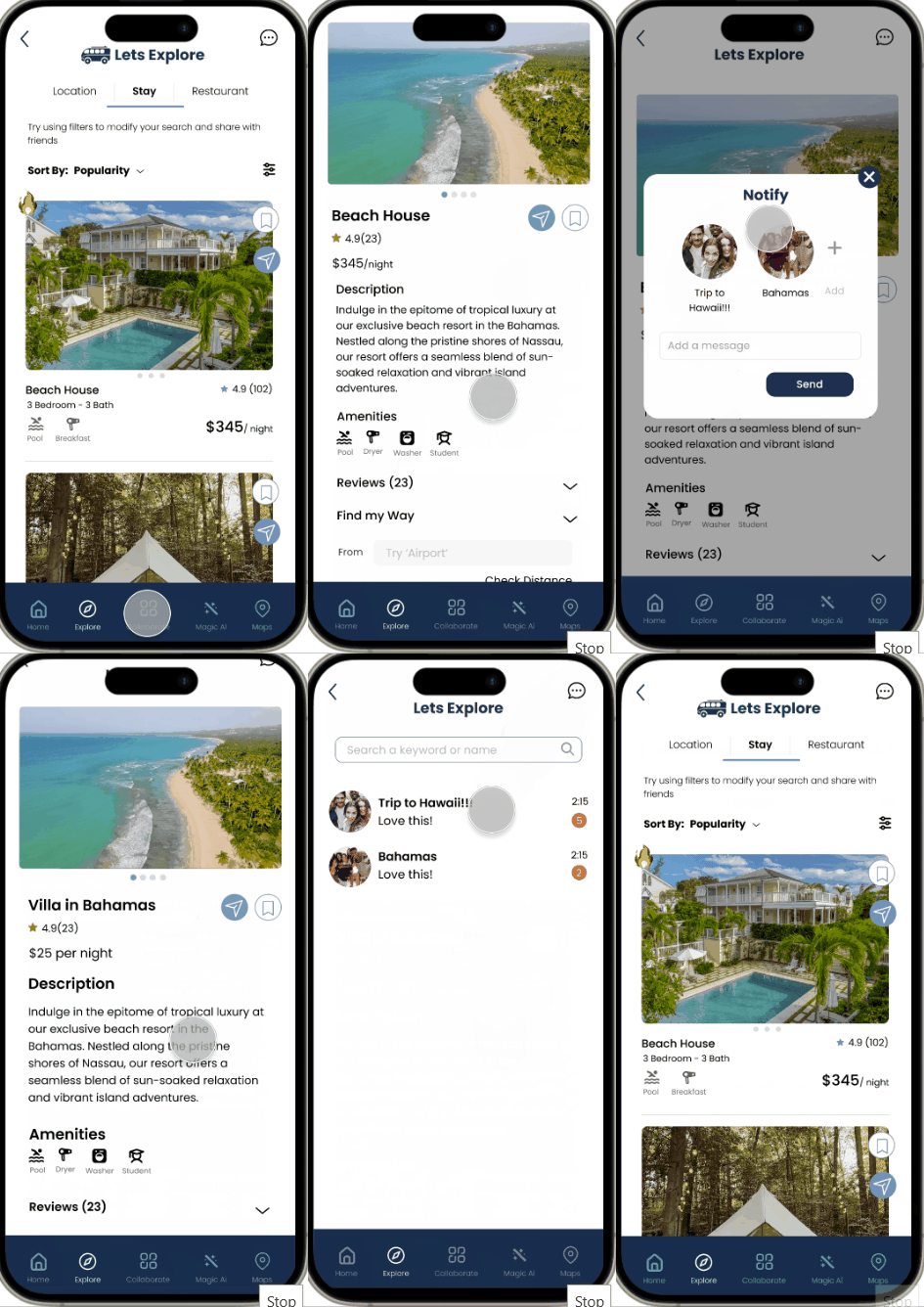

Flow 5:
Collaborate with your group in finding a place to visit by sharing your filter settings.
Goal: To identify whether the icons are recognizable as shared with others
Findings:
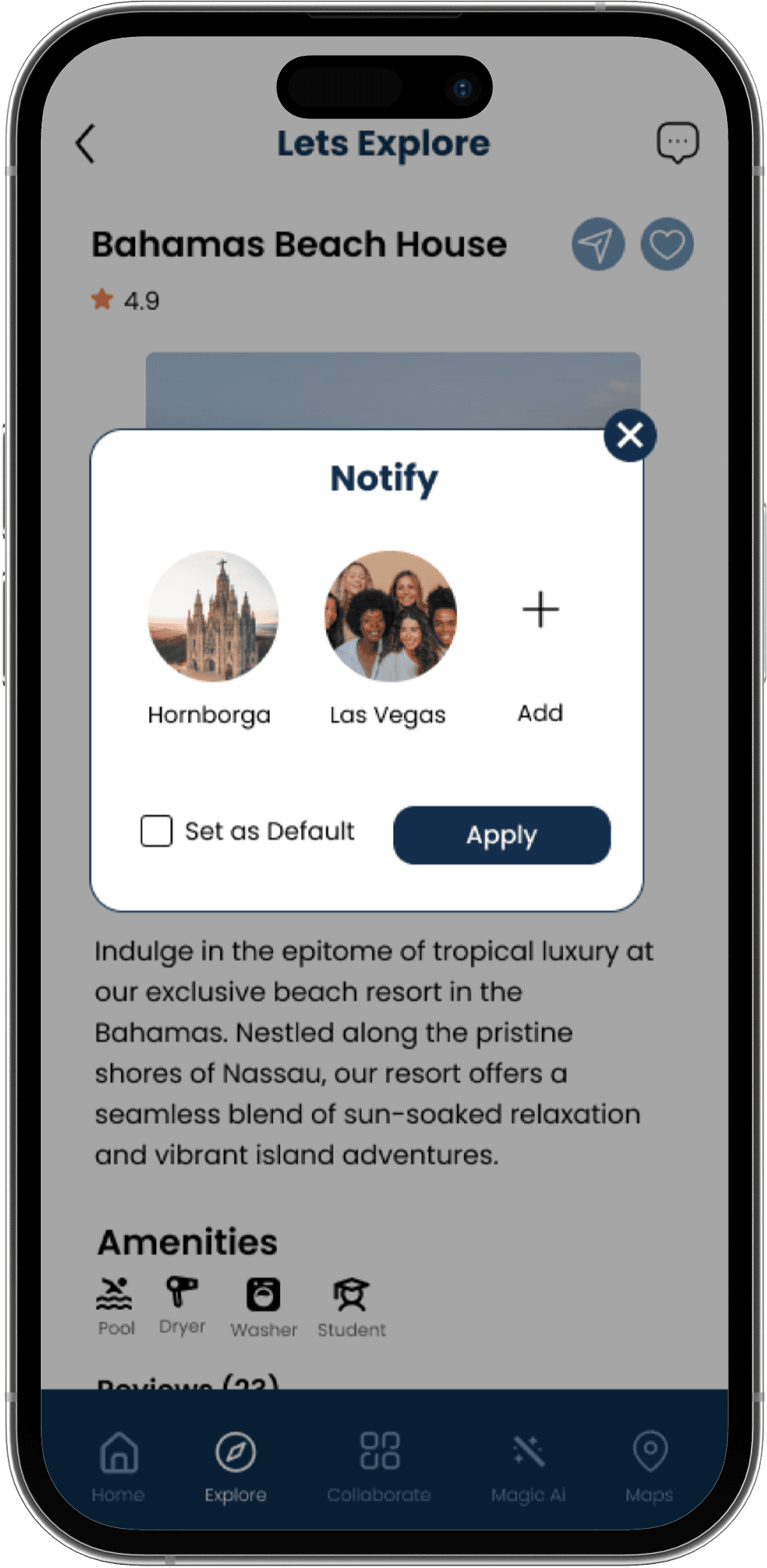
They were able to perform the function but questioned how the other group members would know about a change made to the filters.
Fixes we made:
An additional screen was added to show that when a group member changes a filter, all the group members get a notification.
Reflection
Projected Impact
The need to toggle between apps is eliminated, allowing for a unified experience.
All members of the group feel heard and their suggestions considered.
Eliminates the experience of everyone seeing different things and causing confusion.
The use of AI allows for a spontaneous and customizable experience for those who are interested.
Future Scope of Project
User can view the map view of how the trip for the day or week has been planned out by seeing the places that have been planned.
Have a profile page to access more features
Calendar matching with other members